Social Media Image Sizes Guide (Updated for Designers & Marketers)
Designing for social media isn’t just about aesthetics — image size directly affects clarity, reach, and engagement. Uploading the wrong dimensions can lead to compression, awkward cropping, or blurry visuals that hurt brand credibility.
This guide breaks down the recommended image sizes for Facebook, Instagram, YouTube, LinkedIn, and Twitter (X) — with practical advice designers actually need.
Why Image Size Matters in Social Media Design
Social platforms aggressively compress images. When dimensions are off:
Text becomes unreadable
Logos get cropped
Visual hierarchy breaks
Engagement drops
Designing at platform-optimized sizes ensures:
Sharper visuals
Better feed presentation
Consistent brand identity
Facebook Image Sizes
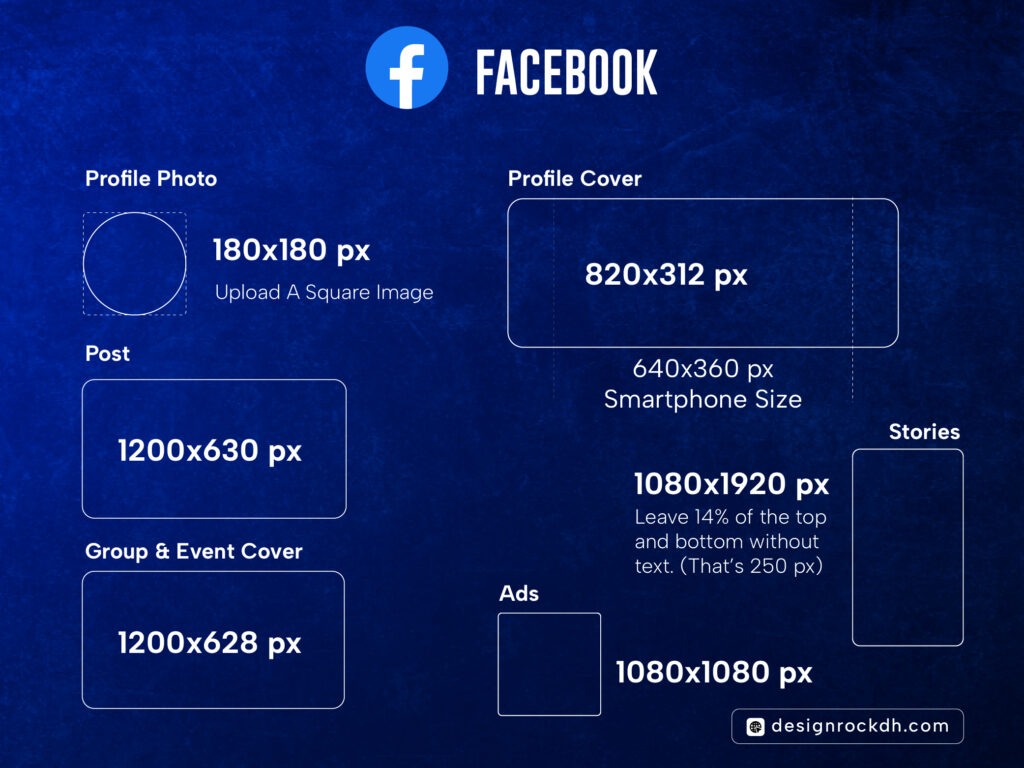
Profile Photo
180 × 180 px (square)
Displayed as a circle → keep important elements centered
Cover Photo
820 × 312 px (desktop)
640 × 360 px (mobile safe area)
 Avoid placing text near edges
Post Image
1200 × 630 px
Best for links and shared content
Stories
1080 × 1920 px
Leave ~14% top & bottom free (UI overlays)
Ads
1080 × 1080 px
Works well across placements
Instagram Image Sizes
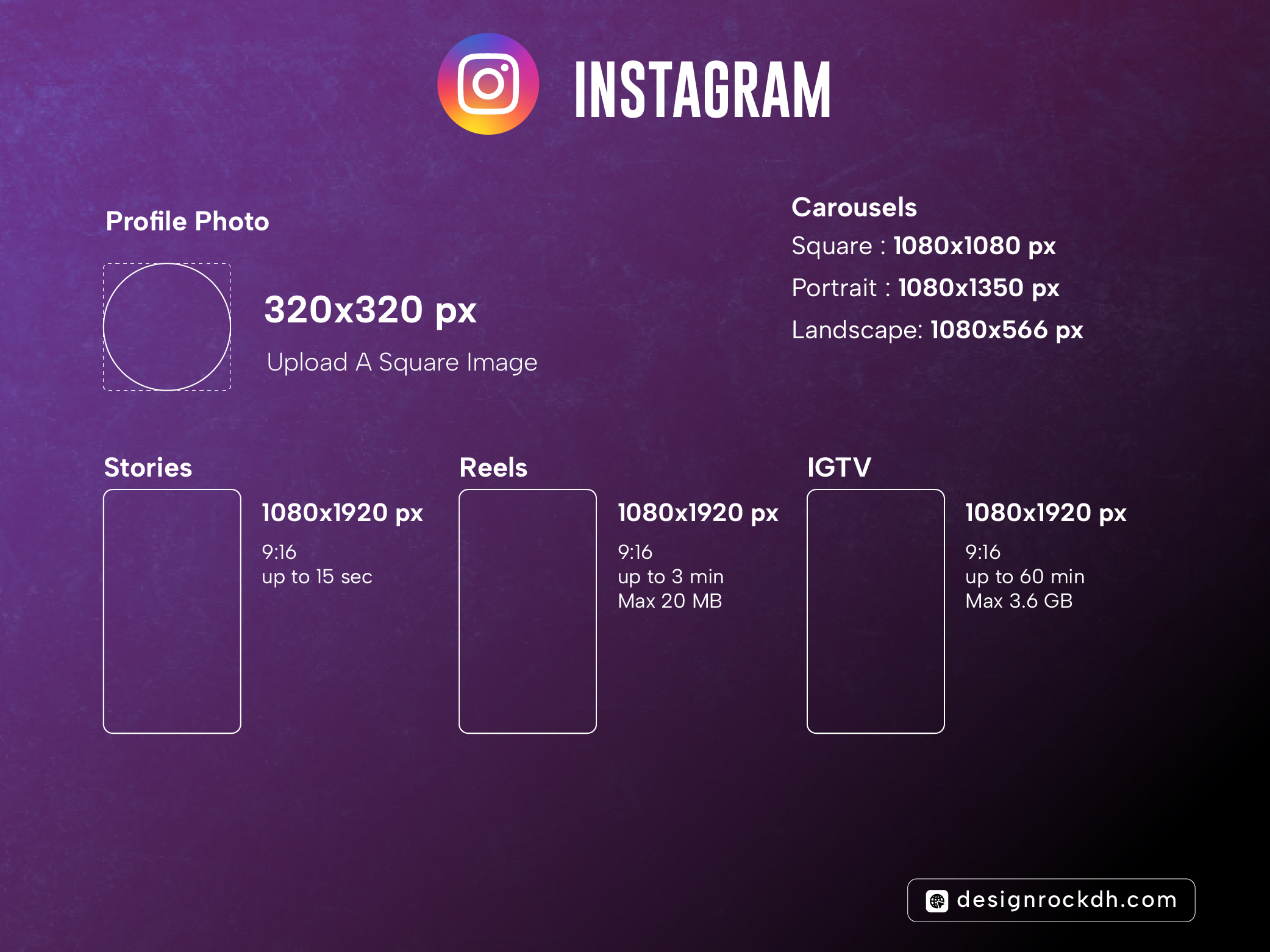
Profile Photo
320 × 320 px
Circular crop → centered logo only
Feed Posts
Square: 1080 × 1080 px
Portrait (recommended): 1080 × 1350 px
Landscape: 1080 × 566 px
Stories & Reels
1080 × 1920 px (9:16)
Keep text inside center-safe zone
Carousels
Same dimensions as feed posts
Consistency across slides is critical
YouTube Image Sizes
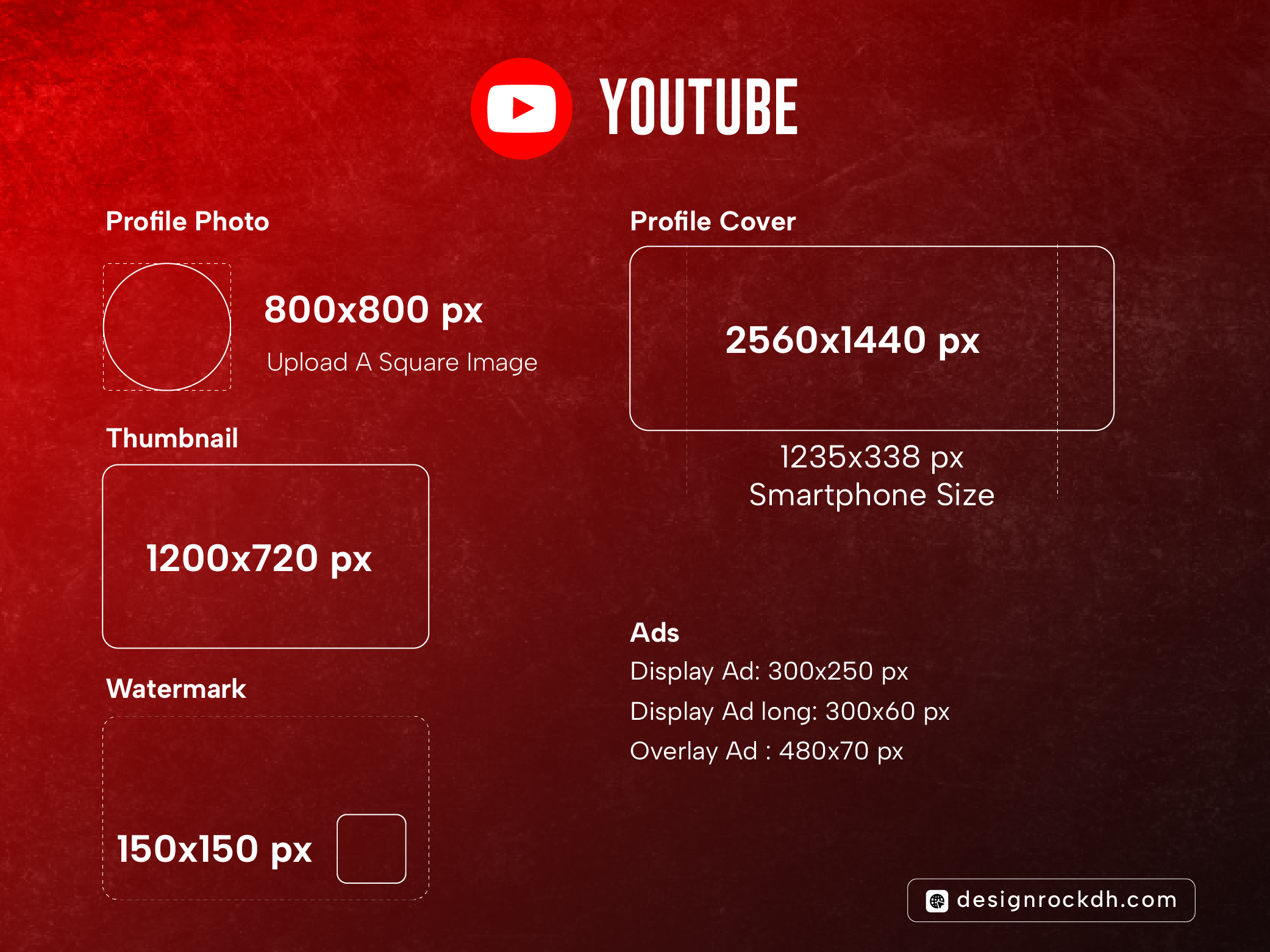
Profile Photo
800 × 800 px
Circular display
Channel Banner
2560 × 1440 px
Mobile-safe area: 1235 × 338 px
Video Thumbnail
1280 × 720 px
16:9 ratio, max 2MB
High contrast + large text = higher CTR
Watermark
150 × 150 px
Minimal branding works best
LinkedIn Image Sizes
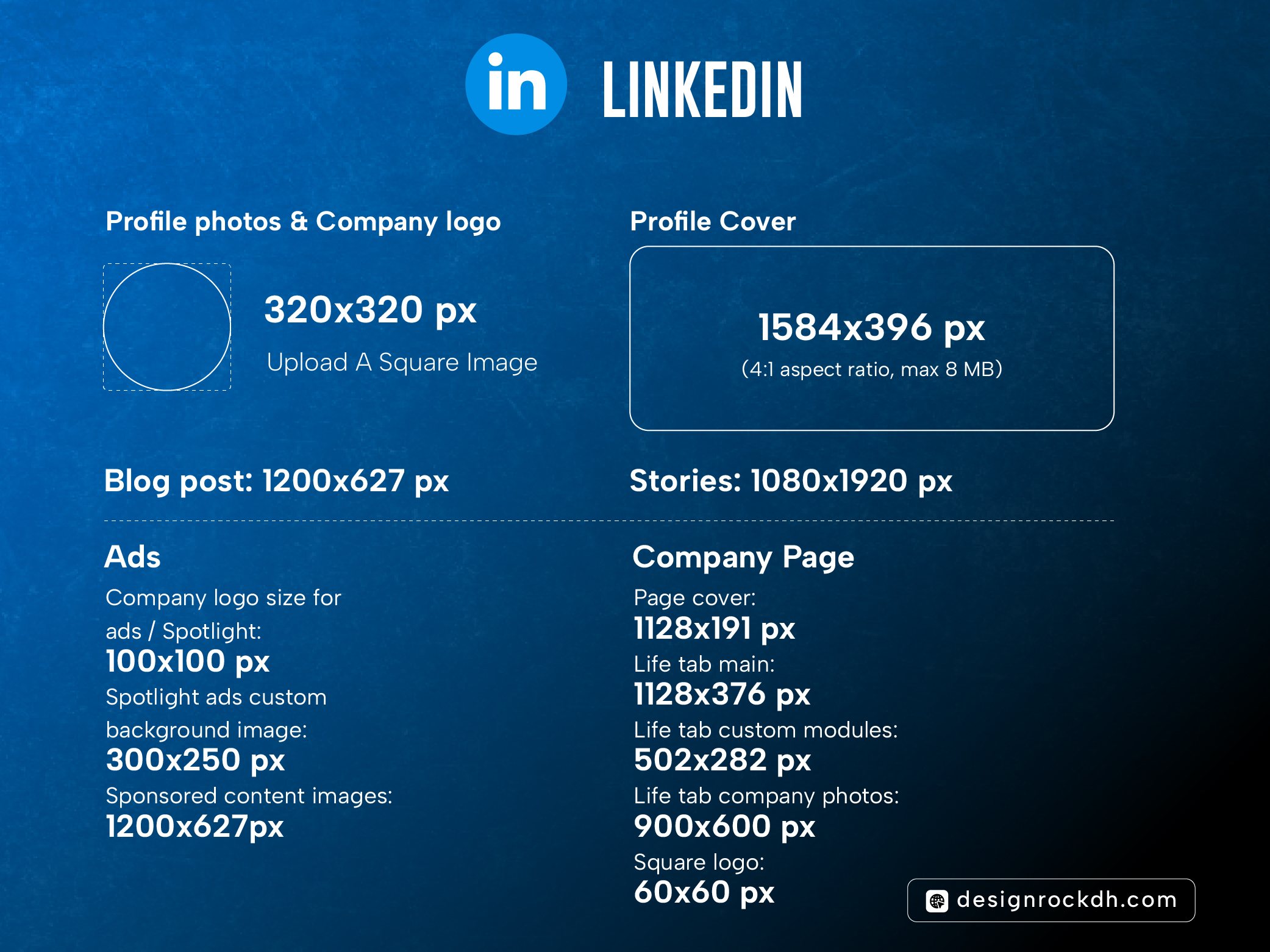
Profile / Company Logo
400 × 400 px
Profile Cover
1584 × 396 px
4:1 ratio — avoid clutter
Post Image
1200 × 627 px
Ideal for articles & sponsored posts
Stories
1080 × 1920 px
Ads
Sponsored content: 1200 × 627 px
Spotlight background: 300 × 250 px
Twitter (X) Image Sizes
Profile Photo
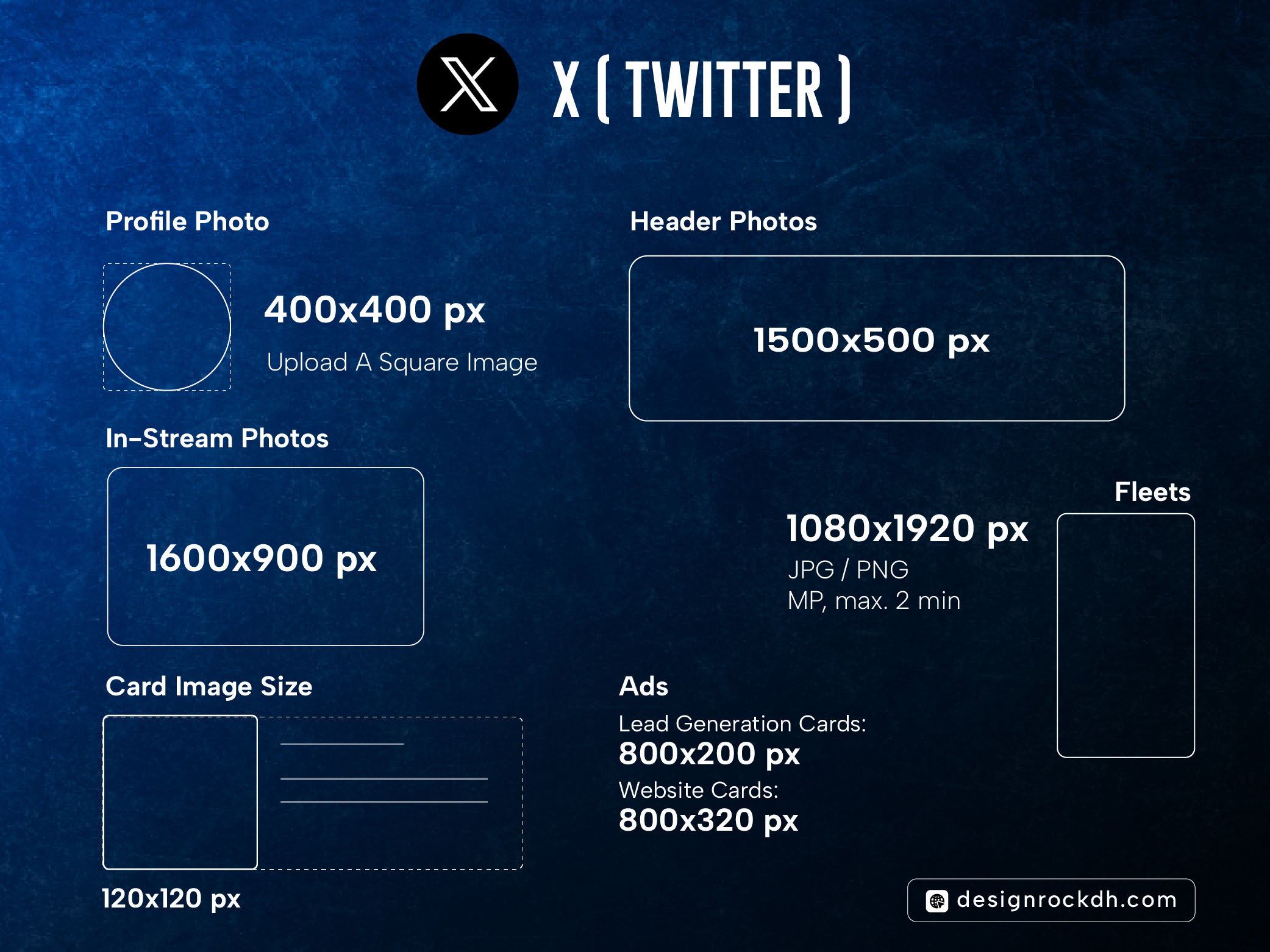
400 × 400 px
Header Image
1500 × 500 px
In-Stream Image
1600 × 900 px
Card Image
120 × 120 px
Ads
Website card: 800 × 320 px
Lead gen card: 800 × 200 px
Pro Design Tips Most Guides Miss
Always design 2× resolution (e.g., 2160×2160) → export down
Keep text under 20–25% of image area
Test visuals on mobile first
Use PNG for text-heavy graphics, JPG for photos
Avoid placing logos near edges (circle crops kill them)
Social media platforms change layouts often, but aspect ratios and safe zones stay relatively stable. Designing with correct dimensions is a small step that delivers massive quality gains.
If you’re a designer, marketer, or brand owner — bookmark this guide and design smarter, not harder.